Actions
개발 #11
closed[테스트] webRTC 서버 샘플 구현
Start date:
11/06/2024
Due date:
06/13/2025
% Done:
100%
Estimated time:
75:00 h
Files
Updated by 개발팀 이석화 about 1 year ago
필요사항
- MediaMTX webRTC 영상출력 샘플코드 작성

-
gstreamer 에서 MediaMTX와 연동하는 법 확인
apt install gstreamer1.0-rtspgst-launch-1.0 filesrc location=sample1.mp4 ! qtdemux name=d d.video_0 ! rtspclientsink location=rtsp://192.168.1.190:8554/mystream- +인코딩
gst-launch-1.0 filesrc location=sample1.mp4 ! decodebin ! videoconvert ! x264enc bframes=0 tune=zerolatency ! rtspclientsink location=rtsp://192.168.1.190:8554/mystream - gstreamer 가 위처럼 보내면 mediamtx의 path 에서 publisher 일때, http://localhost:8889/mystream/ 으로 접근
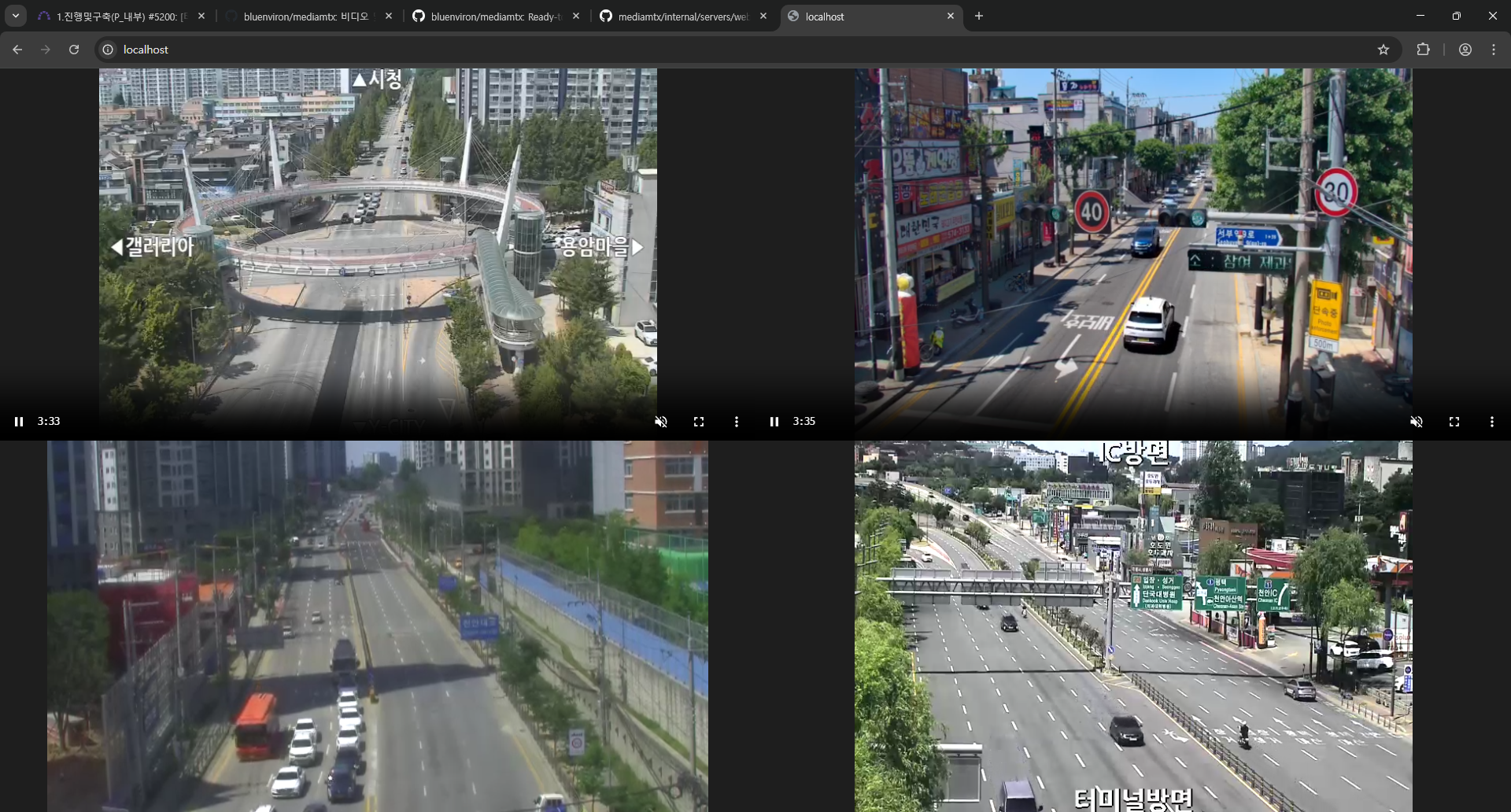
MediaMTX 지연시간 비교결과 (rtsp://210.99.70.120:1935/live/cctv030.stream)
-
MediaMTX - WebRTC 영상 (기준)
-
원본 RTSP 영상 = 기준 + 1~3초
-
가상서버 HLS 변환영상 = 기준 + 30초
-
리눅스:RTSP영상_HLS변환 = gst-launch-1.0 rtspsrc location="rtsp://210.99.70.120:1935/live/cctv002.stream" ! rtph264depay ! h264parse ! mpegtsmux ! hlssink max-files=0 playlist-length=0 location="/home/thepowerbrains/ch%05d.ts" playlist-location="/home/thepowerbrains/list.m3u8" target-duration=15
-
윈도우:웹캠_RTSP로_전송 = ffmpeg.exe -f dshow -i video="HP Wide Vision HD Camera" -vcodec libx264 -x264-params bframes=0 -preset ultrafast -tune zerolatency -f rtsp rtsp://localhost:8554/stream
2025-06-05 ~ 2025-06-10 테스트 결과
- RTSPtoWebrtc = 테스트 결과 화면이 출력되지 않음
- Ant Media Server Community = WebRTC는 유료버전만 제공, 기본제공하는 HLS변환은 지연시간 있음 (약 10초)
- MediaMTX = RTSP 영상 WebRTC로 변환 성공, https://github.com/bluenviron/mediamtx
오픈소스 테스트 결과
- RtsptoWebrtc : 성공 (단, go 언어로 작성됨) https://github.com/deepch/RTSPtoWebRTC
- kurento : 실패 https://github.com/lulop-k/kurento-rtsp2webrtc
- pythonStreaming : 실패 (에러발생) https://github.com/hith3sh/PyStreamRTC
- Jitsi를 사용하여 Gstreamer 파이프라인 연결 : 실패 (jitsi에 websocket 활성화시 회의접속이 안됨)
WebRTC 관련확인
- 웹브라우저1 ~ 웹브라우저2 사이의 메시지 통신
성공 (https://github.com/eugenp/tutorials/tree/master/webrtc) - 웹브라우저1 ~ 웹브라우저2 사이의 영상 통신
성공 (https://github.com/googlecodelabs/webrtc-web/tree/master/step-05) - 서버(gstreamer) ~ 웹브라우저 영상통신
실패 - Kurento 연동 스프링부트 프로젝트 테스트
실패 (Nodejs 필요) - Kurento 연동 Nodejs 프로젝트 테스트
실패 (클라이언트단에서 kurento-utils 라이브러리 사용 불가능, require 에러)
Updated by 개발팀 이석화 about 1 year ago
docker run -p 8554:8554 -p 1935:1935 -p 8888:8888 -p 8889:8889 -p 8890:8890/udp -p 8189:8189/udp -e MTX_RTSPTRANSPORTS=tcp --rm bluenviron/mediamtx:latest
paths:
  cam1:
    source: rtsp://210.99.70.120:1935/live/cctv030.stream

  #all:
    #source: publisher
Actions